Garage Creator
Build and edit every garage in game for Wasabi Garage Creator (wasabi_garage). Changes are saved to the database and synced to every player right away, with no restart.
Opening the creator
/garagecreator
Allowed for the command ace, groups in adminGroups (shared config), and jobs in creator.jobs (server config). Everyone else gets "You don't have access to this garage".
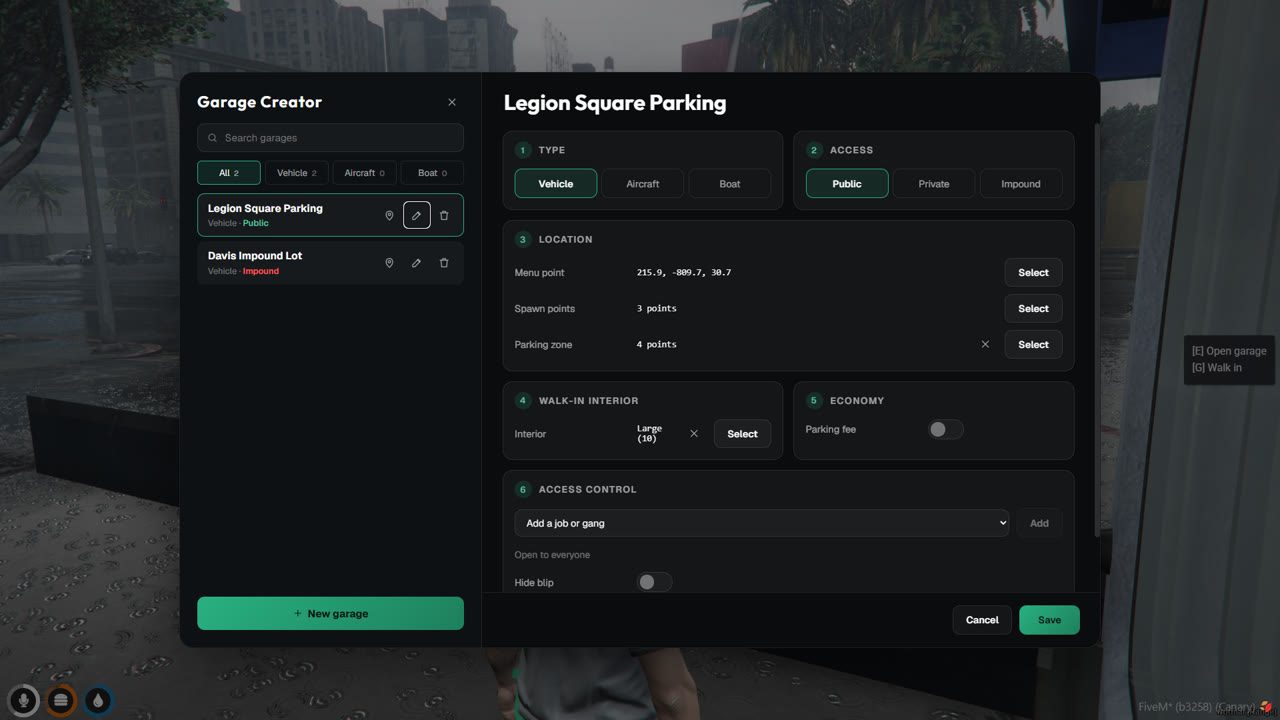
The left side lists every garage, with a search and a filter by type (Vehicle, Aircraft, Boat). Each row has Teleport, Edit and Delete (click twice to confirm). New garage starts an empty form.
The form
1. Type
- Vehicle: every class in
classes.car(cars, bikes, trucks, and so on) - Aircraft: helicopters and planes (
classes.air) - Boat: boats (
classes.boat)
Only vehicles whose class fits the type can be parked there, and the showroom only lists those vehicles.
2. Access
- Public: everyone (or the jobs you add under Access control)
- Private: bought by one player for the Purchase price. The owner shares it with key holders from
/garagemenu. A private garage with no price can only be given through the housing exports. - Impound: an impound lot. Police impounds and lost cars go here, and owners pay the fine here to release their car.
3. Location
Each Select button closes the form and starts a placement tool in the world. Aim with the camera.
| Point | Required | Description |
|---|---|---|
| Menu point | Yes | Where players open the garage (marker or target). |
| Spawn points | Yes (up to 20) | Where taken-out cars appear. The first free one is used. Parking within 4 m of a spawn point also works. |
| Parking zone | No | Polygon (3 to 40 points) with a top and bottom height. Driving inside it shows the park prompt. Zones may not overlap another garage's zone. |
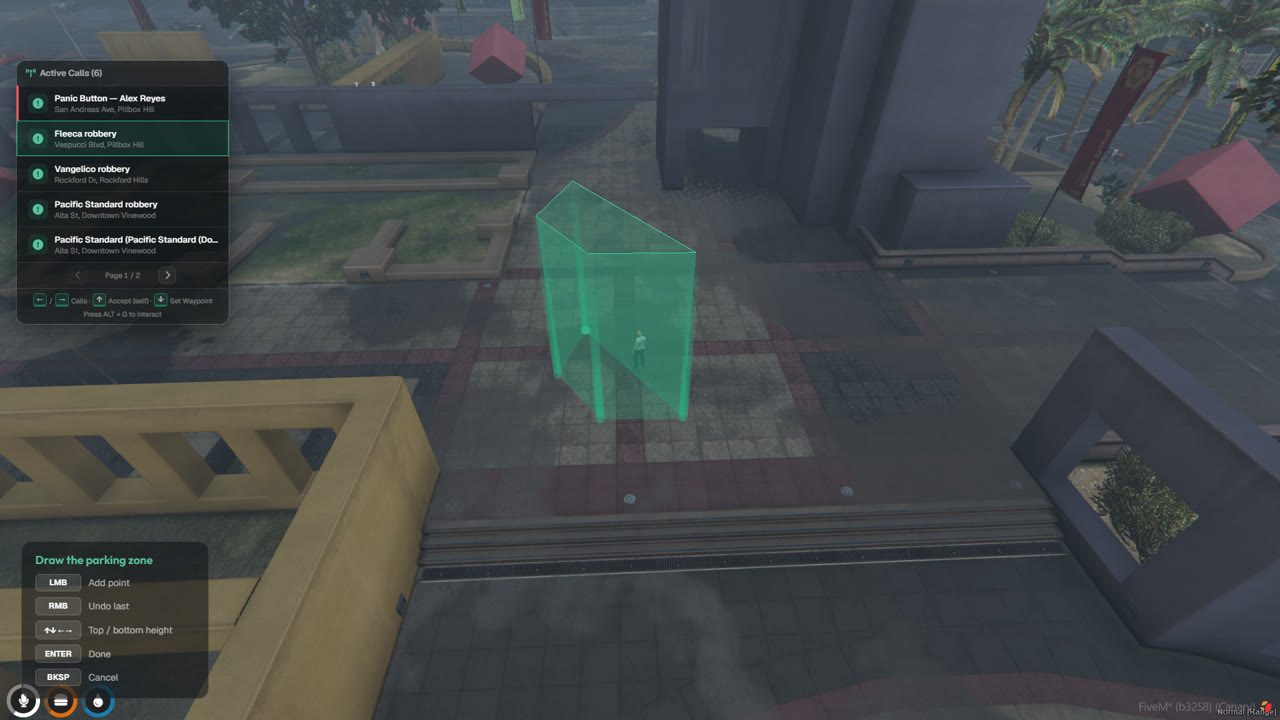
Placement keys
- Left mouse: add a point
- Right mouse: undo the last point
Q/E: rotate (holdShiftto rotate faster)- Arrow up and down: top height of the zone. Arrow left and right: bottom height.
Enter: doneBackspace: cancel
4. Walk-in interior
Optional. Pick Compact (2), Standard (6) or Large (10). The tool walks you through each interior in place: use the arrow keys to switch, Enter to choose, Backspace to cancel. Impound lots have no interior.
5. Economy
- Parking fee: charged every time a car is parked (public and private garages)
- Purchase price: private garages only
6. Access control
- Add a job or gang, each with a minimum grade (From). With no entries the garage is open to everyone.
- Hide blip: no map blip for this garage.
- Script key: a name other scripts use to open this garage with the
OpenGarageexport, for examplepolice.
Press Save. The server re-checks everything (name, points, zone size and overlap, interior preset) and shows an error for anything that is missing.
Deleting a garage
Cars parked in a deleted garage move to the first other public garage of the same type. Players inside its interior are sent back to the door.
Make sure another public garage of the same type exists before you delete one, or the cars stay linked to the deleted garage until their owners use Bring at another garage.
Default garages
The garages in config/shared/defaults.lua are imported once on the first start. To import them again, run this in the server console:
garage_import_defaults